


Finding a home is already demanding, and the experience becomes even harder when an app makes listings difficult to scan, controls awkward to use, or important details easy to miss. I spent time using Trulia as a real estate app for apartments, houses, and individual rooms, paying particular attention to how comfortably it supports different abilities and everyday situations. My overall impression is that it is a useful starting point for renters and buyers who want to explore a neighborhood visually, compare possibilities, and build a practical search routine rather than contact the first attractive listing they see.
Trulia is free, aimed at everyone, and developed by Trulia, which is owned by ZillowGroup. It sits in the House & Home category and has reached over five million installs, with a 4.7 average from around ninety-nine thousand ratings. Those figures suggest a mature and widely used product, but they do not remove the need to inspect each listing carefully. A polished search tool can help organize a housing hunt; it cannot guarantee that every property description is complete, current, or suitable for a particular person.
How clearly the search experience works
Readable browsing for a tiring task
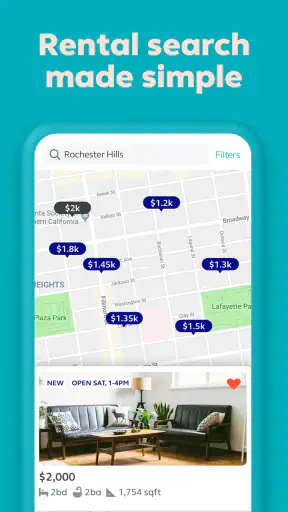
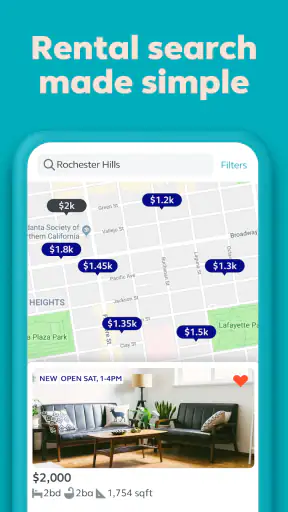
The strongest part of the app is the way it turns a broad housing search into a visual browsing activity. Instead of relying only on a long stream of text, I could move between listing cards, photos, prices, locations, and property summaries. That matters when I am comparing many homes in one sitting, because a map-and-list approach gives me a sense of distance and area before I spend time opening every result.
For someone who finds dense pages tiring, the ability to focus on one listing at a time is helpful. I can look at the headline information first, then open the property when it seems relevant. This is more manageable than reading full descriptions for every home. The design also suits people who think spatially: seeing where results sit in relation to streets and nearby areas can be more informative than sorting by a list alone.
That visual strength has a trade-off. Maps, photos, and compact cards can compete for attention, particularly when I am using the app in a hurry or with a larger text setting on my phone. A reader who needs very high contrast, enlarged text, or a simplified visual field may find that some screens require more concentration than expected. I would therefore treat the app as easier to use when the phone display is clean, the brightness is comfortable, and the search is done in short sessions.
Filters that reward a deliberate workflow
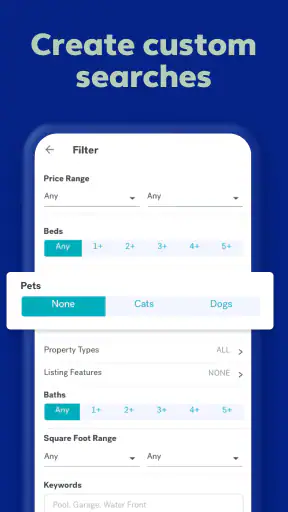
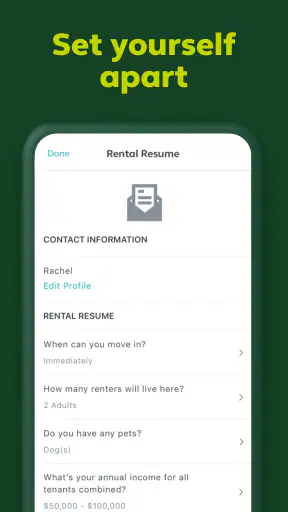
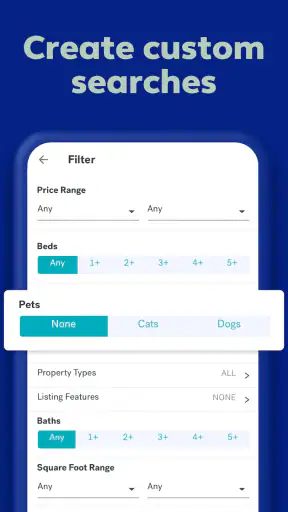
The most useful way I found to approach the app was not to scroll endlessly. I began with the essentials that would immediately rule out a home, then narrowed the area and reviewed the remaining listings more closely. This prevents the common mistake of becoming attached to attractive photos before checking whether the location, type of home, or rental arrangement makes sense.
People looking for a room rather than a whole apartment can benefit from starting with that distinction. A room search has different practical questions from a full-home search: shared spaces, privacy, access to a bathroom, and the rhythm of the household all matter. Trulia makes sense as an initial discovery tool for this kind of search, but I would never assume that a short listing description answers those questions. I would write them down before contacting anyone.
A useful habit is to keep a small comparison note outside the app. I record the listing location, the features that matter to me, questions to ask, and the date I last checked it. This is especially valuable when several properties look similar. The app helps me discover and revisit options, while my own notes prevent important differences from disappearing into a stream of photos and brief summaries.
What the app communicates well, and what it leaves to the reader
Trulia is good at helping me answer the first question: “Could this be worth investigating?” It is less suited to answering every follow-up question without direct research. A listing can appear promising while still leaving uncertainty about entrances, stairs, bathroom layout, elevator access, noise, parking, or the distance from the nearest useful service.
That distinction is important for users with mobility, sensory, cognitive, or health-related needs. A general property search app is not the same as a specialist accessibility assessment. I found it more reliable to use the listing as a prompt for specific questions rather than as proof that a home will work for me. When a feature is essential, I would ask the agent or owner for precise details and, where possible, request current photos or a viewing that focuses on the relevant areas.
Using the app without relying on constant visual scanning
For users who prefer to limit screen time, I recommend setting a clear goal for each session. One session can focus on discovering neighborhoods, another on checking a short list, and a later session on preparing questions. This is less exhausting than trying to complete the entire housing search in one sitting. It also reduces the chance of overlooking a warning sign because of visual fatigue.
Voice control, screen readers, magnification, and display settings are features provided by the phone rather than guarantees made by the app. Their usefulness may vary by screen and operating system. I would test the main tasks early: opening a result, moving between the map and listing view, reading key details, returning to the search, and saving or revisiting a property if that option is available in the current version. If any of those steps becomes confusing, the app may not be the best primary tool for that user.
Different abilities, environments, and practical limits
Motor considerations during a long search
Housing searches often involve repetitive tapping, scrolling, zooming, and switching between pages. That can be uncomfortable for people with limited dexterity, tremors, joint pain, or fatigue. My advice is to avoid treating rapid browsing as the intended measure of success. A slower method—opening fewer listings, keeping the phone supported, and pausing between searches—makes the process more sustainable.
Map interaction can be particularly demanding because it may require precise gestures. If moving around the map is uncomfortable, I would begin with the list view and use the map only when location is the deciding factor. This is one of the practical trade-offs of a visually oriented real estate app: the map is useful for understanding an area, but it should not become a barrier to reaching the property information.
External tools can also make a difference. A phone stand, a larger screen, or a physical keyboard may be more comfortable than holding a handset for an extended period. These are not special Trulia features, but they can change whether the search feels manageable. I would also enlarge touch targets through the device’s accessibility settings where possible, while checking that the resulting layout remains readable.
Sensory needs and the importance of property verification
Photos are valuable for getting a first impression, yet they can be misleading for people who need to understand sensory conditions. A bright, carefully framed image does not tell me whether a room faces a busy road, whether lighting is harsh, or whether a building has persistent background noise. For someone sensitive to sound, glare, strong smells, or crowded surroundings, the app is best used to identify questions rather than settle them.
I would ask about the position of the property within the building, nearby traffic, shared entrances, waste areas, construction, and the possibility of visiting at a realistic time of day. A quiet daytime viewing may not represent an evening environment. This is a case where the app’s convenience should lead to better preparation, not replace an in-person check or a detailed conversation.
For users with low vision, listing photographs may provide useful context but may not communicate dimensions reliably. I would not judge doorway width, turning space, step height, or bathroom usability from a photo unless the listing provides clear reference points. If a feature determines whether I can live safely in the home, I would request exact measurements or arrange a viewing with someone who can help inspect them.
Situational access: searching while working, traveling, or sharing a device
The app is also shaped by context. Someone searching during a lunch break needs quick orientation and an easy way to return to a promising property. Someone using a phone on public transport may have poor connectivity, distractions, or limited privacy. A person sharing a device may not want housing searches visible to others. These situations make a short, organized workflow more useful than casual browsing.
My preferred routine is to search in a quiet moment, narrow the results, and keep only the strongest candidates in a separate note. I then return later to inspect photos and prepare questions. This approach is helpful for people with attention difficulties because it separates discovery from decision-making. It also reduces impulsive reactions to attractive images and makes it easier to compare homes on the things that genuinely affect daily life.
Trulia can be useful for someone who is new to an area because the map-based approach encourages neighborhood comparison. However, a map cannot fully express how easy an area is for a particular person to navigate. A nearby shop may still be difficult to reach because of steep slopes, poor crossings, or an uncomfortable route. I would combine the app with a map service, local knowledge, and—when access matters—a real visit along the route between the property and essential destinations.
A realistic rental-search example
Imagine I am looking for a room close to work while trying to avoid stairs and loud surroundings. I would begin by selecting the relevant rental type and narrowing the search area. I would then inspect the map to remove locations that create an impractical commute, open the remaining listings, and note which ones mention the building entrance, floor, shared spaces, or nearby traffic.
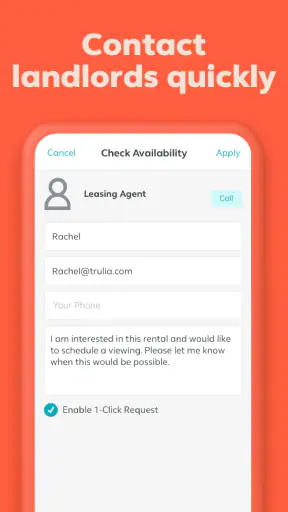
At that point, I would not assume that silence in the description means a quiet home, or that a ground-level photo means step-free access. I would contact the person responsible for each serious candidate with the same short set of questions. I would ask for a description of the route from the entrance to the room, the location of the bathroom, the presence of steps or narrow passages, and the typical noise level. Trulia would have helped me build the shortlist, while direct verification would decide whether a home was realistic.
This workflow also protects time. Instead of arranging several viewings based only on attractive photographs, I can eliminate unsuitable options before making a trip. That is one of the app’s less obvious strengths: it can support better questions and reduce wasted effort, provided I use it as a screening tool rather than a complete source of certainty.
Where the usual alternatives may be better
Compared with a local agent, Trulia gives me more independence and lets me browse at my own pace. That is valuable when I do not want to explain my requirements before understanding the market. An agent, however, may know details that never appear clearly in a listing and may be able to arrange a more focused viewing.
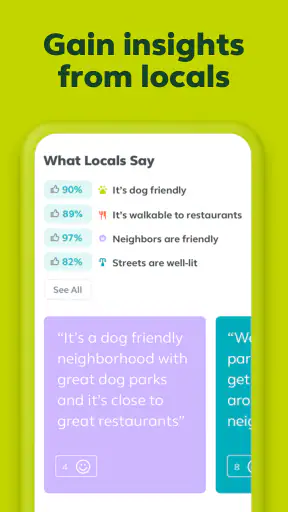
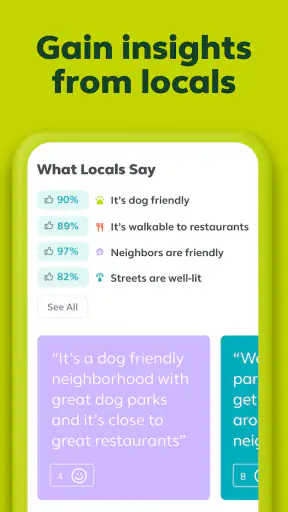
Compared with general classified listings, a dedicated real estate app usually feels more structured for comparing homes and locations. The trade-off is that I may still need other sources for neighborhood context, building-specific information, or direct communication. Local community groups can sometimes reveal practical details about noise, transport, or management, but they may be less organized and less consistent than a property search interface.
For a user with very specific accessibility requirements, a specialist housing service or a trusted local professional may be a better primary option. Trulia remains useful for broad discovery, but it should not be the only channel when a particular physical layout or environmental condition is non-negotiable.
Remaining barriers before making a decision
The main limitation is not that the app lacks value; it is that housing suitability cannot be reduced to the information shown on a listing card. The burden of checking crucial details still falls on the user. That can be especially difficult for someone who has limited energy, communication challenges, anxiety about contacting strangers, or little experience renting.
I also think the abundance of options can create decision fatigue. A large search area may produce more possibilities than I can responsibly compare. Narrowing by practical needs early is kinder to my attention than browsing every attractive home. I would choose a small set of priorities—such as location, cost, room type, and a specific access requirement—and treat everything else as secondary until those basics are satisfied.
Another barrier is the emotional pressure of the housing market. A promising listing can make me feel that I must act immediately, especially when I have already spent hours searching. The app is most helpful when it supports a repeatable process: save the details, verify the essentials, check the location, and only then arrange contact or a viewing. I would be cautious about sending personal information or money before confirming who is offering the property and what the next step involves.
The current version is 11.46.0, and the app requires iOS or Android 10 or later. That makes device compatibility a practical consideration for anyone using an older phone. The app was released on September 28, 2011, so it has had a long presence in the category, but an established history does not mean every screen will suit every user. I would judge it by the tasks I personally need to complete on my device.
Who should use it, and who should look elsewhere
I would recommend Trulia to renters, buyers, and room seekers who want a convenient way to explore areas, compare homes, and create a shortlist. It is particularly useful for people who prefer visual browsing and want to search independently before speaking with an agent or owner. Because it is free and rated for everyone, it is easy to try without committing money to the search process.
I would be more cautious about recommending it as the only solution for someone who needs verified step-free access, exact measurements, unusually quiet surroundings, or a highly specialized living arrangement. That user may still benefit from browsing the app, but a specialist service, local agent, support person, or direct property contact should carry more weight in the final decision.
My final view is positive but practical: Trulia makes the early stages of a housing search clearer, especially when I use its visual location browsing and disciplined shortlisting. Its inclusive value comes from giving people control over when and how they explore, not from promising that every accessibility question is already answered. The best experience comes from pairing the app’s discovery tools with direct verification, personal notes, and a search pace that matches your energy and abilities.


